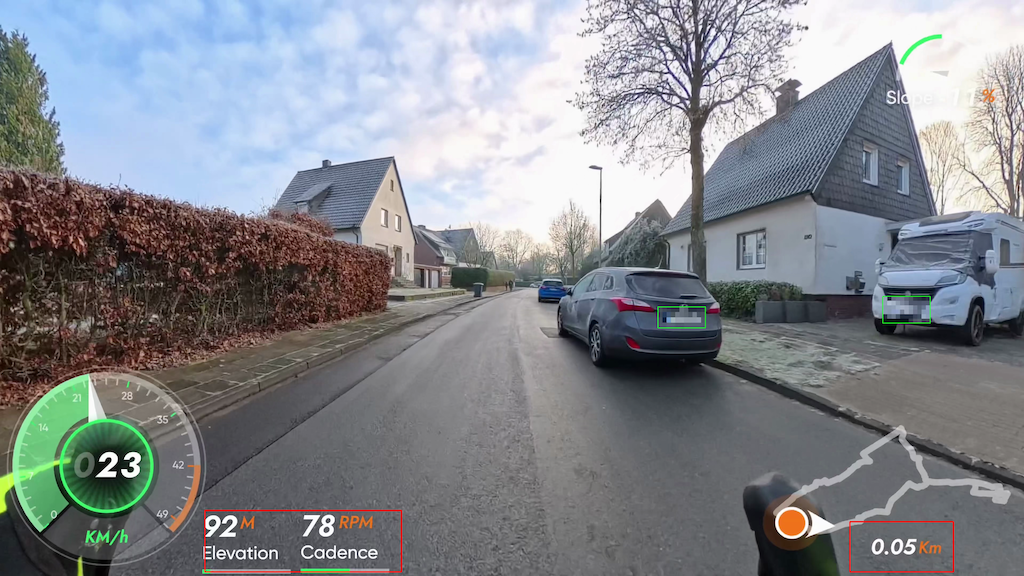
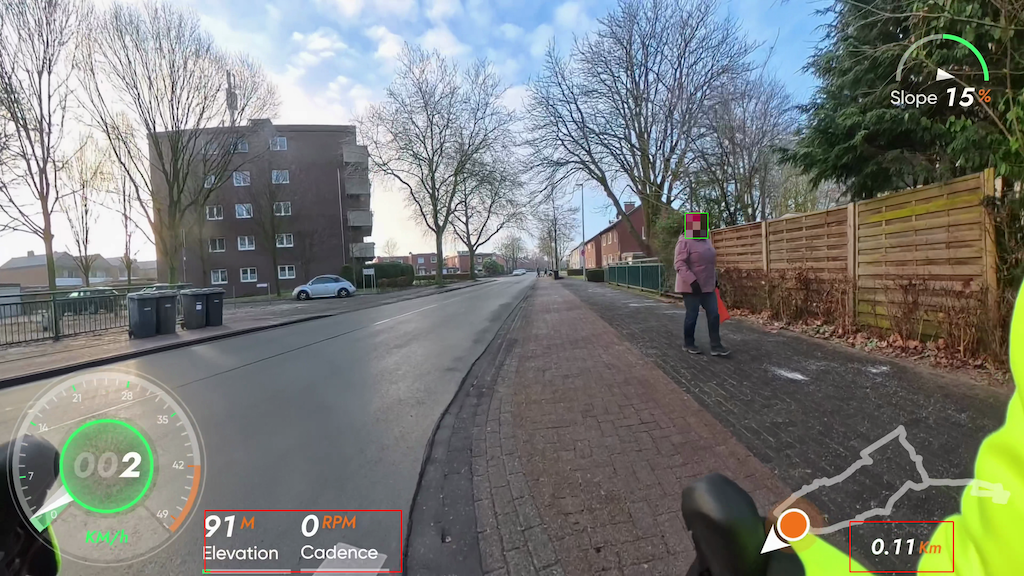
If you work with action-cam or cycling footage, you’ve probably faced the same dilemma: you want to share your 4K videos, but you can’t expose license plates or faces. DSGVO-Pixeler solves this locally, on your own machine, without sending anything to the cloud.
DSGVO-Pixeler is a Python tool built around YOLOv8 that automatically detects both license plates and faces and pixelates them with a true mosaic effect (not just blur). It’s designed for Apple Silicon and handles 4K video while preserving audio. The priority is privacy: the system is tuned to avoid missed detections, and you can add padding or larger pixel blocks to ensure sensitive details stay unreadable.
Key features:
- Local processing only — nothing leaves your machine
- 4K support with optional downscaled detection for speed
- Apple Silicon acceleration with CPU fallback
- Hardware encoding via ffmpeg VideoToolbox, or software fallback
- Separate plate and face models, plus optional extra models
- Configurable pixel strength, padding, and detection confidence
- Optional no-pixel zones (HUD overlays) with pixel-accurate coordinates
- Fast test runs (first N minutes) and visual debug overlays
Typical workflow:
1) Export your action-cam footage as a flat 16:9 video.
2) Place your models into models/plates/ and models/faces/.
3) Run DSGVO-Pixeler and get an anonymized MP4 with audio intact.
Example:
python dsgvo-pixeler.py --input input.mp4 --weights models/plates/best.pt --preset balancedDSGVO-Pixeler is practical for long rides and busy street scenes, where a single clip can contain hundreds of plates and faces. You stay in control: tune for accuracy with larger inference sizes, increase pixel strength for extra safety, or carve out no-pixel zones so your on-screen HUD stays crisp.
If you need a privacy-first pipeline for publishing public footage, DSGVO-Pixeler is a strong foundation that keeps everything local, fast, and configurable.
You find DSGVO-Pixeler on Github! – for free!
Examples: